
Products — Scheduling
Bookings that live inside your website
Your customers book from the same website or app they already use. There is no separate scheduling subscription and no second dashboard to learn: we build the booking in, and every booking lands in your own inbox.
How it works
The booking app, ready to shape
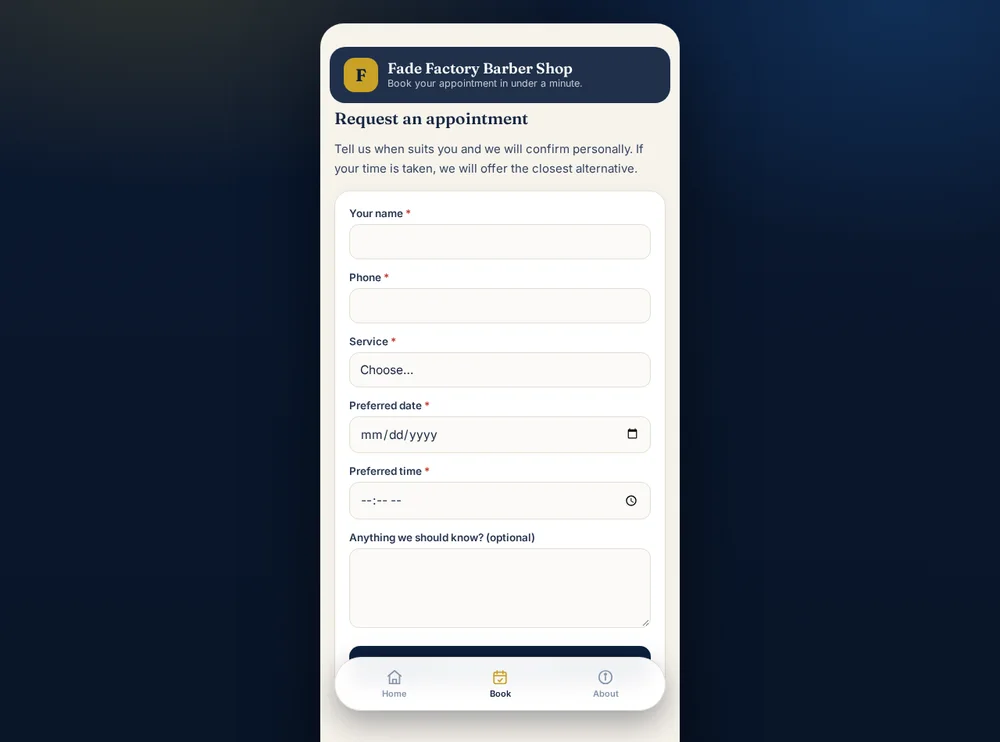
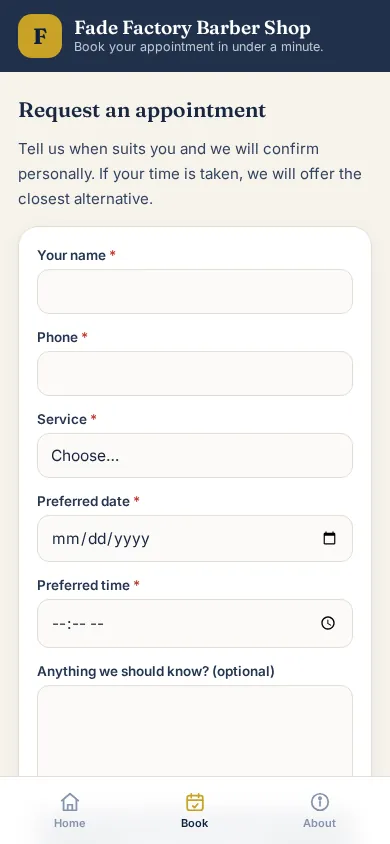
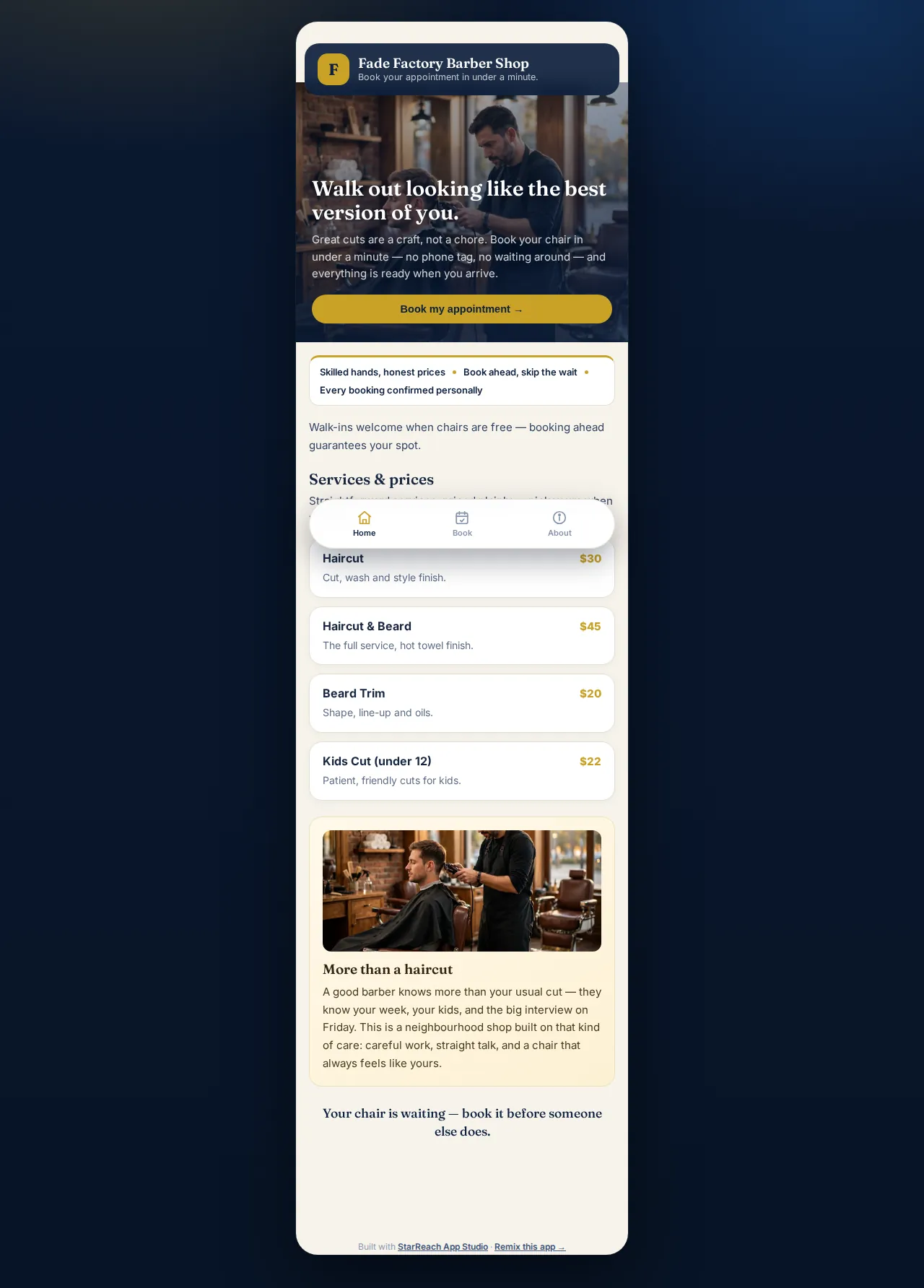
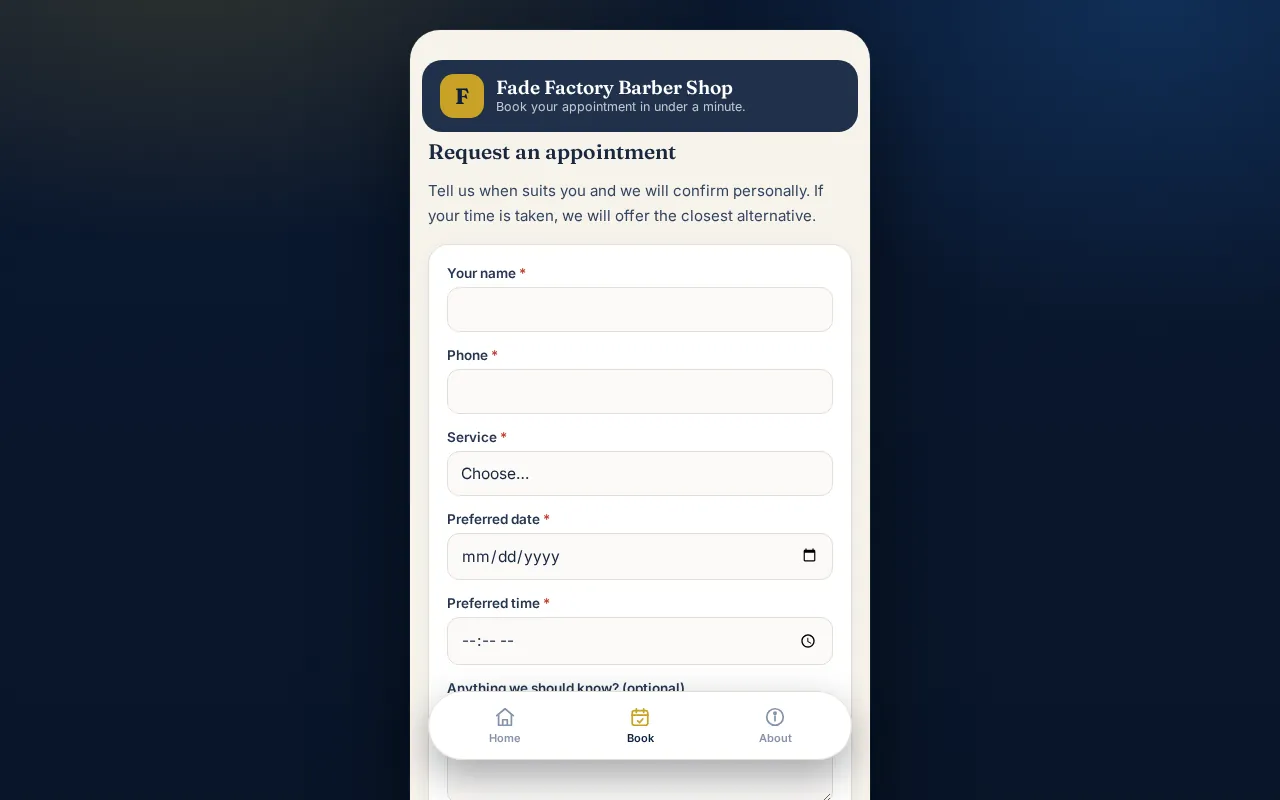
App Studio's first starter app is Appointment Booking, made for barbers, salons, and clinics. Your services sit up front, and the booking form asks for the service, the date, and the time.
Customers open it from their phones at your own address. You run it from your client portal, and every request arrives with the details you need to confirm it.
The starter app is a beginning, not a cage. We shape the services, the questions, and the wording around how your business actually books.
Worked example
A booking, start to finish
This is a demonstration run of the same booking app, with demo data — the names and numbers are made up, and the screens are real. It is the whole journey, in three steps. Follow it down the page: each step lights up as you reach it, the way the booking itself moves — asked, answered, and in the shop's hands.
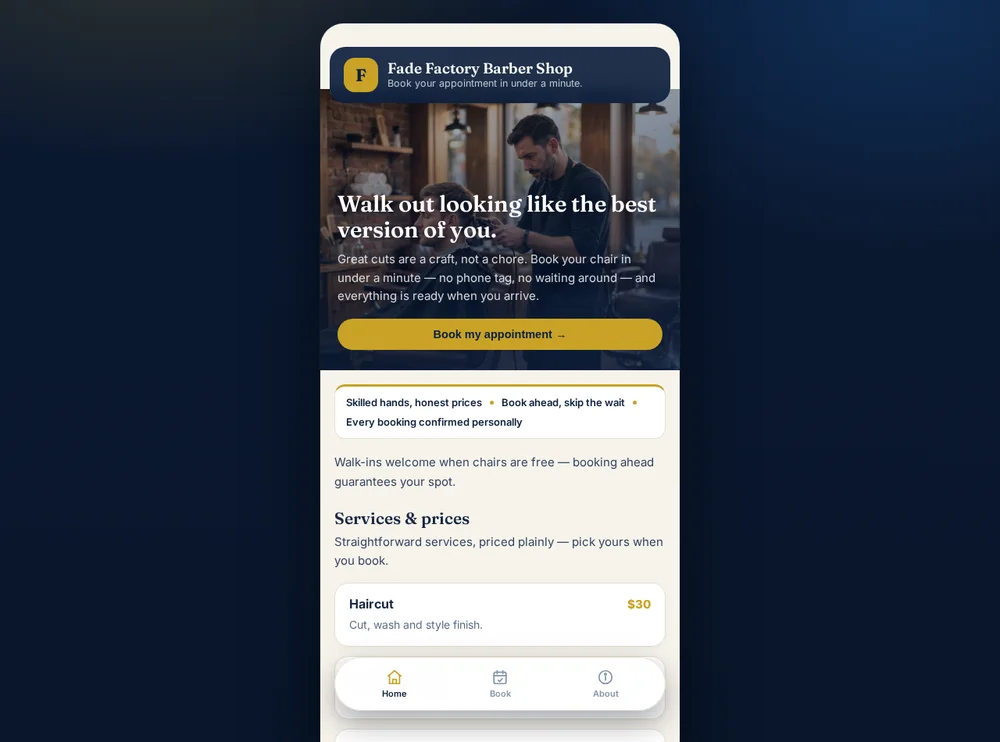
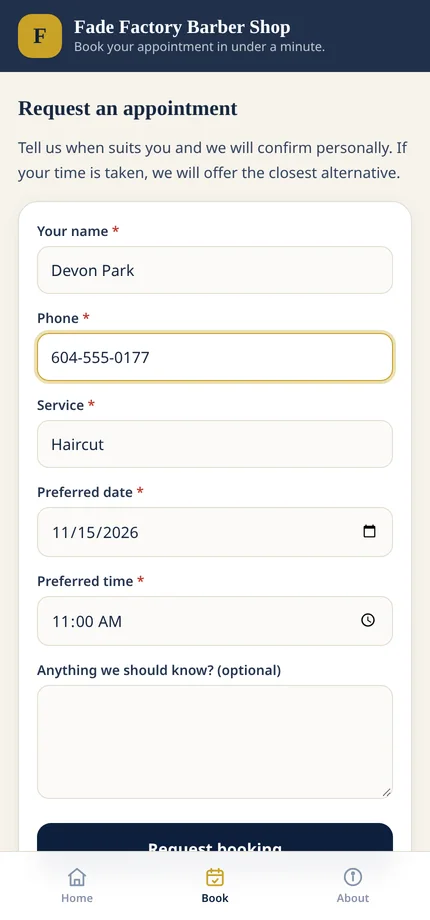
A service, a date, a time
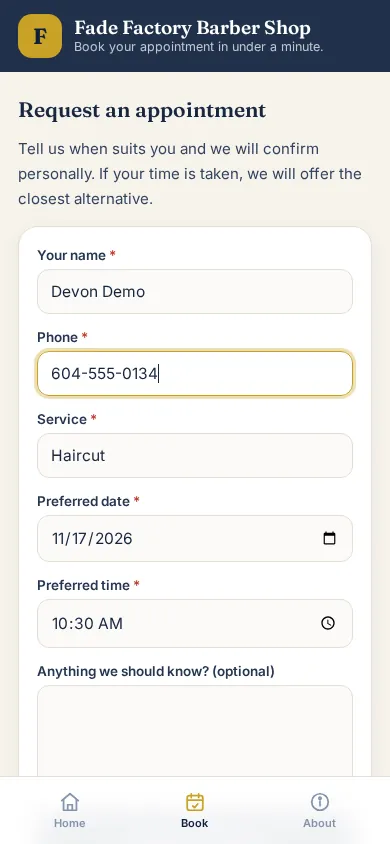
Devon, our demo customer, picks a haircut, a date and a time, and leaves a name and phone number. No account to create, no card, no payment — it is a request, and the form says so.
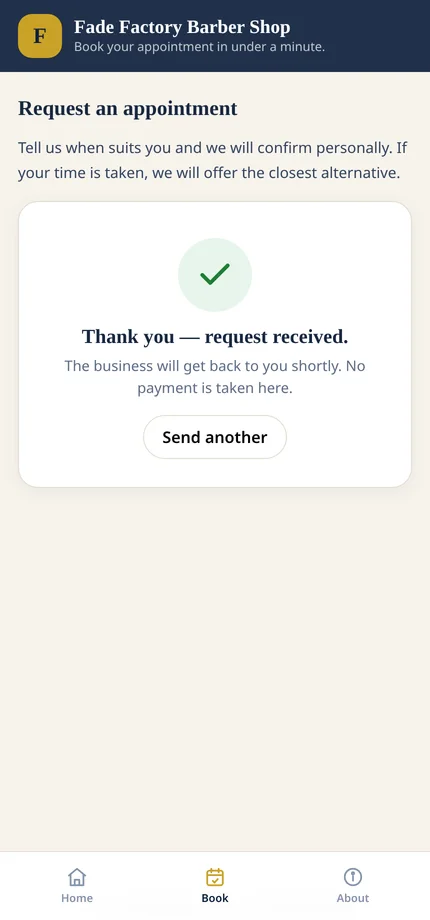
Confirmed as received, in plain words
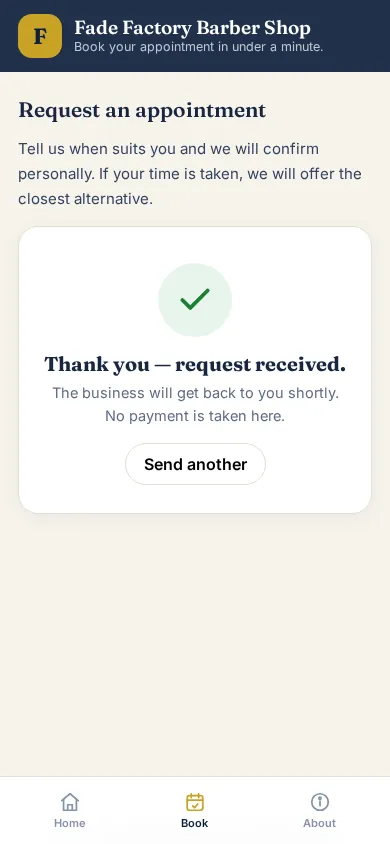
The app thanks them on the spot: “Thank you — request received. The business will get back to you shortly. No payment is taken here.” No pretending the booking is final before the shop has seen it.
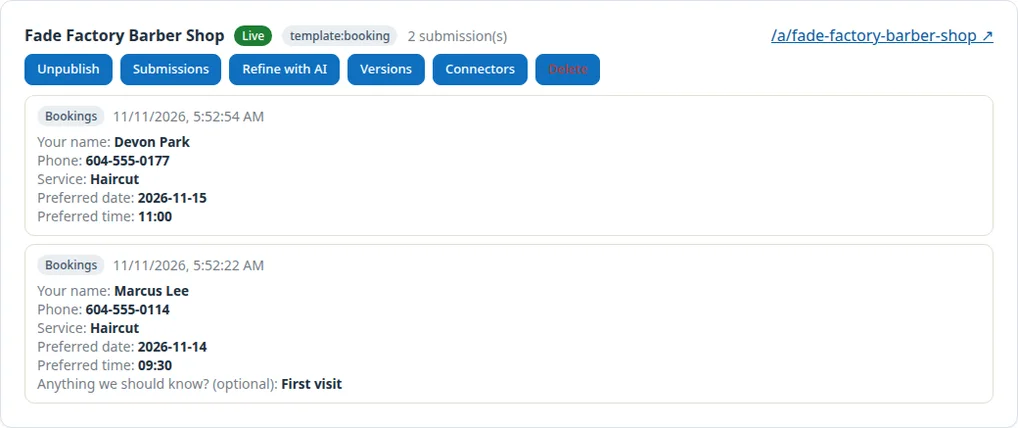
Every request lands in App Studio
Devon's request is waiting in the app's inbox in App Studio, next to Marcus's from the same morning — each with the name, phone number, service, date and time the shop needs to confirm it with one call or text.
Screen by screen
The demo app, screen by screen
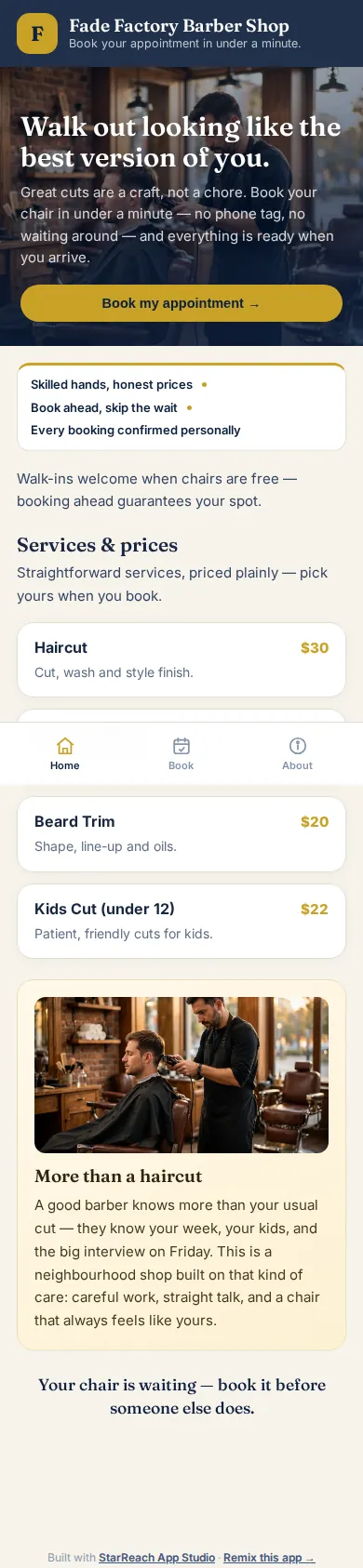
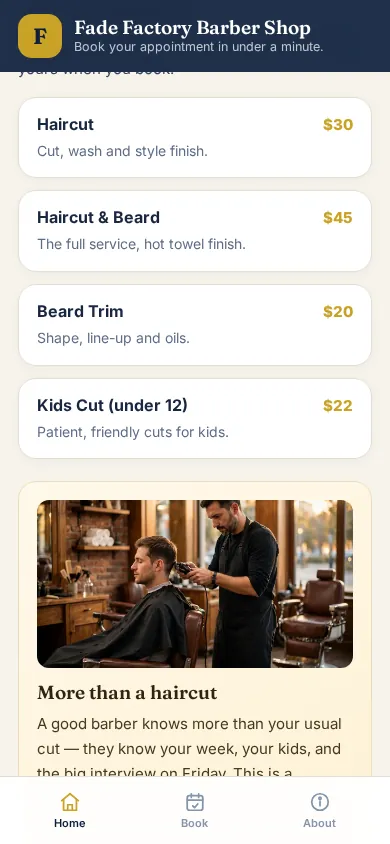
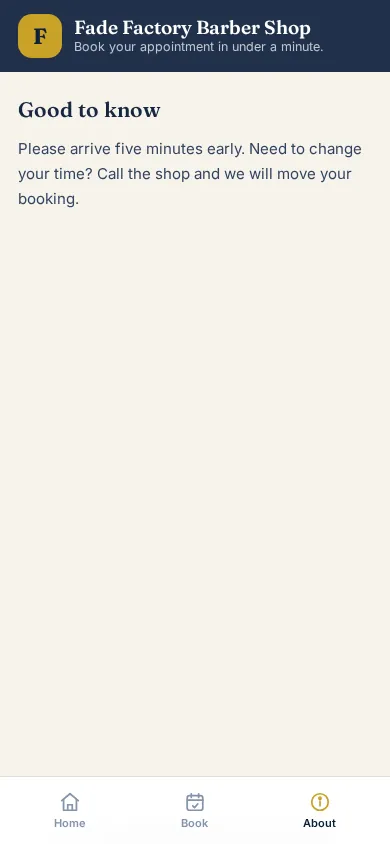
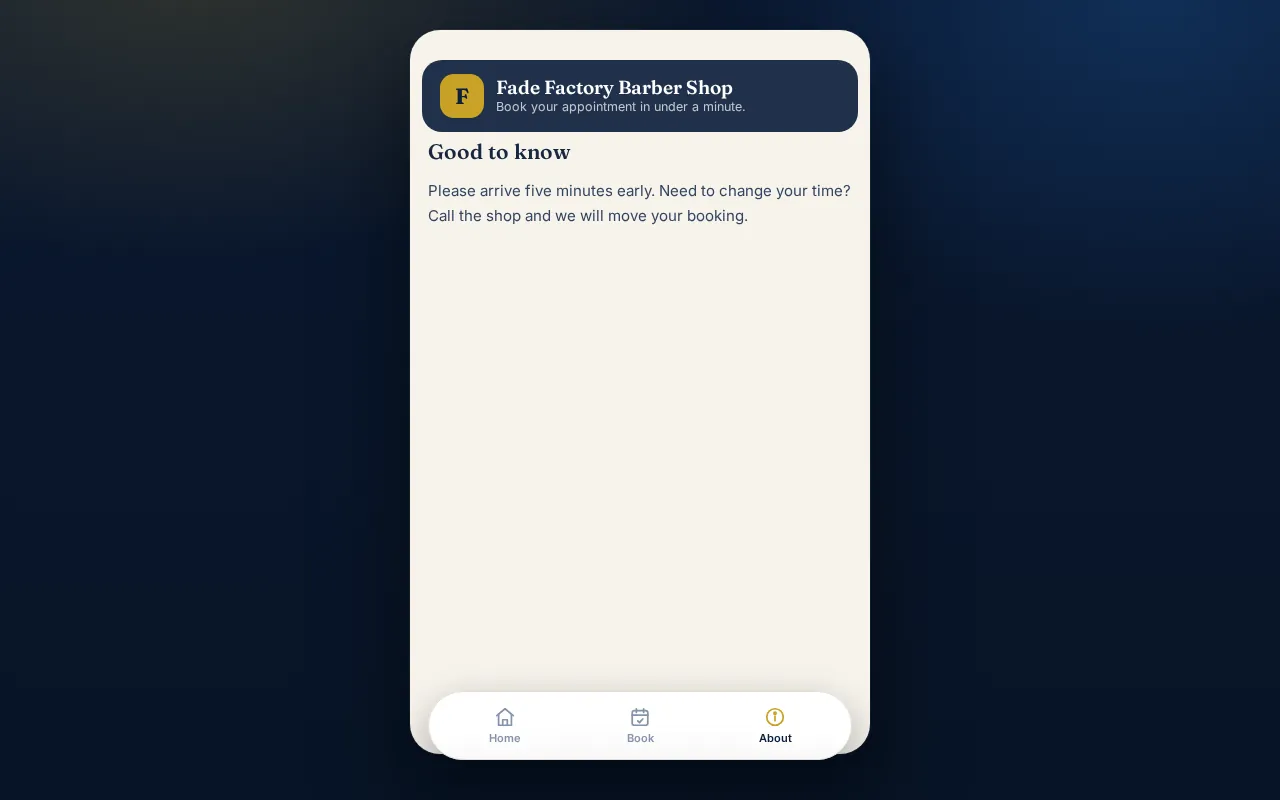
Words only go so far, so here is the app itself. Every screen below is a real capture of Fade Factory Barber Shop, the working Appointment Booking demo that lives on this site, taken on 14 November 2026. The two screens that show a name and a time are the demonstration run from the worked example above — the details are demo data, entered exactly the way a customer would enter them. Nothing here is a mock-up, a rendering, or a screenshot of some other company's product: this is the starter app your own business would start from, running today.
What happens after a request lands
The journey does not end at the thank-you screen — it changes hands. The request arrives in the app's inbox in App Studio and in your own inbox, with the name, phone number, service, date and time the customer chose. From there it is deliberately human: you confirm the booking personally, with one call or text, and if the time is taken you offer the closest alternative — the app says exactly that on its form. Nothing is charged, nothing is promised in your name, and nothing sits in a system you cannot see. If you would rather the follow-through ran itself — confirmations and reminders sent without you chasing them — that is what an Automation Setup adds, and it is priced on the pricing page like everything else. The booking page is the front door; what stands behind it stays yours to run.
Three ways in
Three ways booking joins your business
Pick the door that matches what you already have. Each one ends at the same place: bookings arriving in your inbox.
In your app
The Appointment Booking starter app from App Studio, shaped around your services and published at your own address.
Included with Builder hosting plans: Starter C$29/mo, Growth C$59/mo.
See App StudioIn your website
A booking page built into a done-for-you website. Our sample salon, photography, and counselling sites all show the pattern working.
Part of a website build, quoted in writing before anything starts.
See a salon site with bookingReminders that run themselves
An Automation Setup adds the follow-through around the booking: confirmations and reminders sent without you chasing them.
Automation Setups are published at C$1,500–5,000 on our pricing page.
See automation setupsWho it fits
Built for businesses that run on appointments
If your day is a calendar, booking belongs on your website, where your customers already are.
- Barbers and salons taking appointments through the week
- Clinics and counsellors taking consultations
- Fitness coaches filling classes and training sessions
- Trades booking home visits and quotes
- Photographers booking shoots and sessions
Straight talk
What this is not
Scheduling pages elsewhere often describe a product that does not exist yet. This one describes what we build today.
- Not a standalone product. There is no StarReach scheduling subscription and no separate dashboard to log into. Booking is part of your website or app.
- Not hands-off magic. Your page takes booking requests with the details you choose. You confirm each booking personally, and your customer hears it from you.
- Not rented ground. The page or app is part of your website, published at your address, under your plan. It stays yours.
Tell us how bookings reach you today
By phone, by message, on paper at the front desk? Describe it on the contact page, and we will show you the simplest way to move it onto your website.